
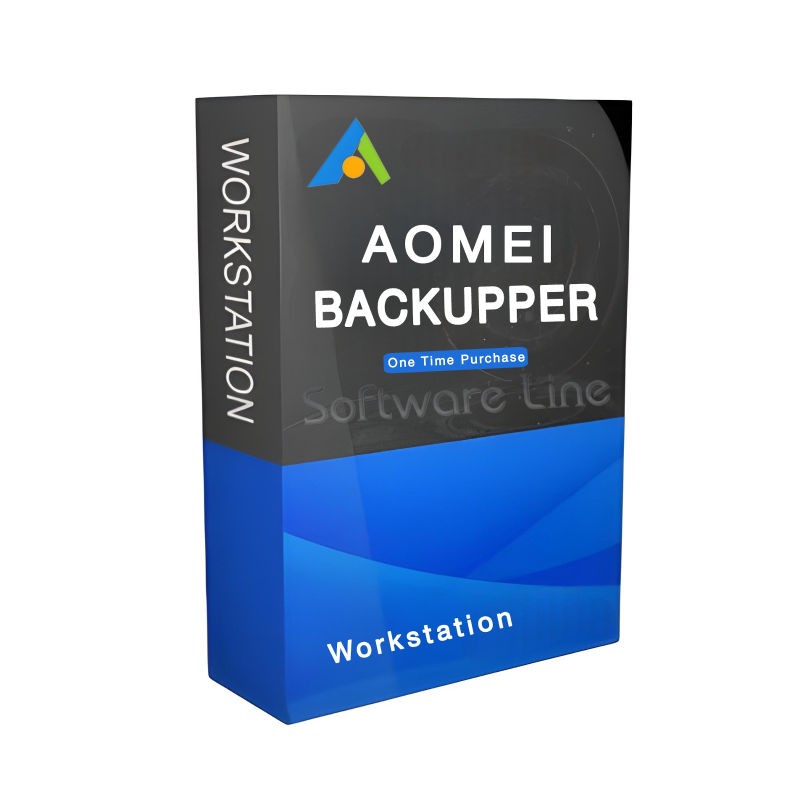
AOMEI Backupper WorkStation One Time Purchase | Windows
(0 reviews)
Was:
Discount Price:
Inclusive of VAT
Save:
loading...
% OFF
SKU:
SLT-CODE:
01-241104-2478
Brand:

Share:
These product variants are not provided by the company
AOMEI Backupper WorkStation is specially designed for commercial use. It offers the most popular backup software & data protection solutions for backing up, cloning, restoring systems, hard drives, and partitions in Windows 10/8.1/8/7/Vista/XP. You can also create incremental backup and differential backup to regularly protect your important data. If your computer crashes, you can restore your system immediately.
Top Selling Products
-

Avast Premium Security
AED 49.00 -
Panda Dome Complete 1 Device 1 Year
AED 49.00 -
AVG Internet Security
AED 29.00 -
Watchdog Anti-Malware 1 Device 1 Year
AED 75.24 -
Bitdefender Total Security
AED 49.00



Key Features:
1. System backup
Backup all system parts (including system partition, system reserved partition, settings, etc.) to another location for disaster recovery.
2. hard disk backup
Back up the entire hard drive to make a double insurance for the data on it.
3. partition backup
Backup one or more partitions to keep important data safe.
4. file backup
Backup specific files or folders and multiple files on the network drive at the same time.
5. file synchronization
Synchronize files and folders between two different locations manually or in real-time.
How to back up?
1. automatic scheduled backup
Automatically back up data regularly and perform backup tasks in real time.
2. full backup
Backup all data completely.
3. incremental & differential backup
Back up changed or new files based on a full backup.
4. Back up changed or new files based on a full backup.
Create a backup image without closing the applications and restarting the computer.
5. backup via command lines
Perform backup, restore, and clone operations from the command prompt or create batch scripts.
Where can the backups be saved?
1. Create a backup to external storage media
Perform backup, restore, and clone operations from the command prompt or create batch scripts.
2. Create a backup on CD / DVD
The following formats are available: CD-R/RW, DVD-R/RW, DVD+R/RW, BD-R.
3. on NAS/Share network
Select Network Attached Storage (NAS), share network, or network-mapped drive as backup target.
4. backup in the cloud
7 cloud desktop applications can be selected as the target path for the file backup and file synchronization.
Restore functions
1. system recovery
You made a mistake? No problem. Use System Restore, and everything will work as before.
2. hard disk recovery
Quickly repeat and restore all data on the hard drive without loss.
3. dissimilar hardware recovery/hardware change
Restore an image from one computer to another with different hardware.
4. partition recovery
partition or dynamic disk volume to its original good condition.
5. file recovery
Lost, damaged, or incorrectly modified files can simply be restored from their backups.
6. selectively restore individual files
Selectively restore a specific file from an image backup instead of restoring the entire backup to save time.
Clone functions
1. hard disk clone
Clone a hard disk to another advanced hard disk for hard disk upgrade or replacement.
2. partition/volume clone
Give an exact copy to basic or dynamic media for data transfer.
3. flexible clone
Cloning a hard disk to a smaller one or vice versa allows data to be moved easily.
4. system clone
Migrate the operating system from HDD to SSD or HDD directly.
There have been no reviews for this product yet.
Operating Systems Windows
10 (all editions, both 32 & 64 bit)
Windows 8.1/8 (all editions, both 32 & 64 bit)
Windows 7 (all editions, both 32 & 64 bit)
Windows Vista (all editions, both 32 & 64 bit)
Windows XP (all editions, both 32 & 64 bit)
Supported disk styles and typesMaster
Boot Record (MBR) Hard disk
GUID Partition Table (GPT) Hard disk
Compatible with GPT/UEFI Boot
Compatible with dynamic volume
File systems NTFS
FAT32/FAT16
exFAT/ReFS *
Ext2/Ext3/Ext4 *
other file systems *
* Display as a RAW partition and perform a sector-by-sector backup mode.
Storage DevicesTraditional
hard disk drive (HDD), solid state drive (SSD), and SSHD.
External hard disk (USB 1.0 / 2.0 / 3.0), PC card, all flash drives and thumb drives, and other removable media.
All storage devices recognized by Windows, such as IDE, SATA, iSCSI, SCSI disk, IEEE1394 (FireWire), etc.
Backup data to CD, such as CD-R / RW, DVD-R / RW, DVD + R / RW, BD-R.
Hardware RAID, including RAID 0, RAID 1, RAID 5, RAID 10, etc.
Network Attached Storage (NAS) and a shared network.
Hyper-V, Virtualbox, VMware virtual drive, and other virtual systems.
Related products
Acronis True Image 2026 Essentials 1 Device 1 Year

Acronis True Image 2026 Advanced 1 Device 1 Year 500 GB
Acronis True Image 2026 Premium 1 Device 1 Year 1 TB
AOMEI Backupper Professional 1 PC 1 Year
AOMEI Backupper Professional 1 PC One Time Purchase Upgrades
AOMEI Backupper Server | Windows 1 Server 1 Year
AOMEI Backupper Server | Windows 1 Server One Time Purchase

Copyright © 2003-2018. Software Line Trading LLC. All rights reserved. Software Line, the Software Line logo are trademarks or registered trademarks of Software Line. All products, articles, brands, and logos of the manufacturers represented on this website may be subject to the trademarks and copyrights of the respective companies.

Contact Info
- Address: M17-A, Computer Plaza, Al-Ain Center, Mankhool Street, Bur Dubai P.O. Box # 44614, Dubai (UAE)
- Phone: +971 4 3591317 / 3514175
- Email: Info@softwareline.ae